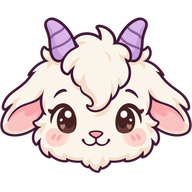
 Goatlings
The Kingdom of Goatlings
Your first visit to Goatlings
You do not need to learn the whole kingdom on your first day. Start with your account and your first Goatling, then choose an activity that looks fun.
A first-session checklist
- Save your recovery code. After creating an account, keep the code somewhere private. Do not post it in a forum or share it with another player.
- Visit My Goatlings. Find your pet, look at its profile, and check hunger, mood and health. Make sure you know which pet is active.
- Look through My Items. Read the actions available on an item before using, selling or trading it. Some items are useful for pet care; others belong in collections.
- Try one activity. Visit the Arcade or Daily Errands, or look around Explore. Read the rules, rewards and any costs on the activity’s page.
- Browse before spending. Visit the shops to get a feel for what is available. You can save Sugar Stars while you decide what you want to collect.
- Return when you like. Your progress is saved with your account. Use the same account when playing in another browser or on another device.
Useful words to know
- Goatling
- One of your virtual pet goats. Your herd is the group of Goatlings on your account.
- Sugar Stars (SS)
- An in-game currency used for purchases and other activities.
- Appearance Doll (AD)
- An item used to change a Goatling’s appearance. See Meet the goats for examples.
- Active Goatling
- The pet currently selected to join you in activities such as exploring and battling.
- HA Buddy
- A dress-up character with a wardrobe, separate from your herd of goats.
Easy mistakes to avoid
Goatling Tabs organise your herd but do not increase its size limit. Check for a free pet slot and the current cost before adopting. Read item actions carefully before using or trading something you want to keep.
Where to go next
Follow How to play for a tour of the game’s main activities, or visit About Goatlings for an overview. Once signed in, the in-game New Bee Guide and FAQ are also available from the navigation.